host
Runs bambi’s ambisonic plugins beside Ableton Live
Live’s tracks are stereo: no track or bus carries more than two channels. Ambisonics needs four channels at first order and sixteen at third, so bambi’s plugins cannot run inside Live. The host runs them beside Live instead, on an ambisonics bus. Each track leaves Live through bambi’s virtual audio driver and plays through bambi’s plugins in the host. Live keeps the arrangement, the transport, your faders and sends.
sidebar
the transport, the plugins and the host’s pages
On the left: play and stop for Live’s transport, each plugin’s window, then the host’s I/O, routing and timeline pages. At the bottom: whether Live is connected, how many sources are playing, and the latency.
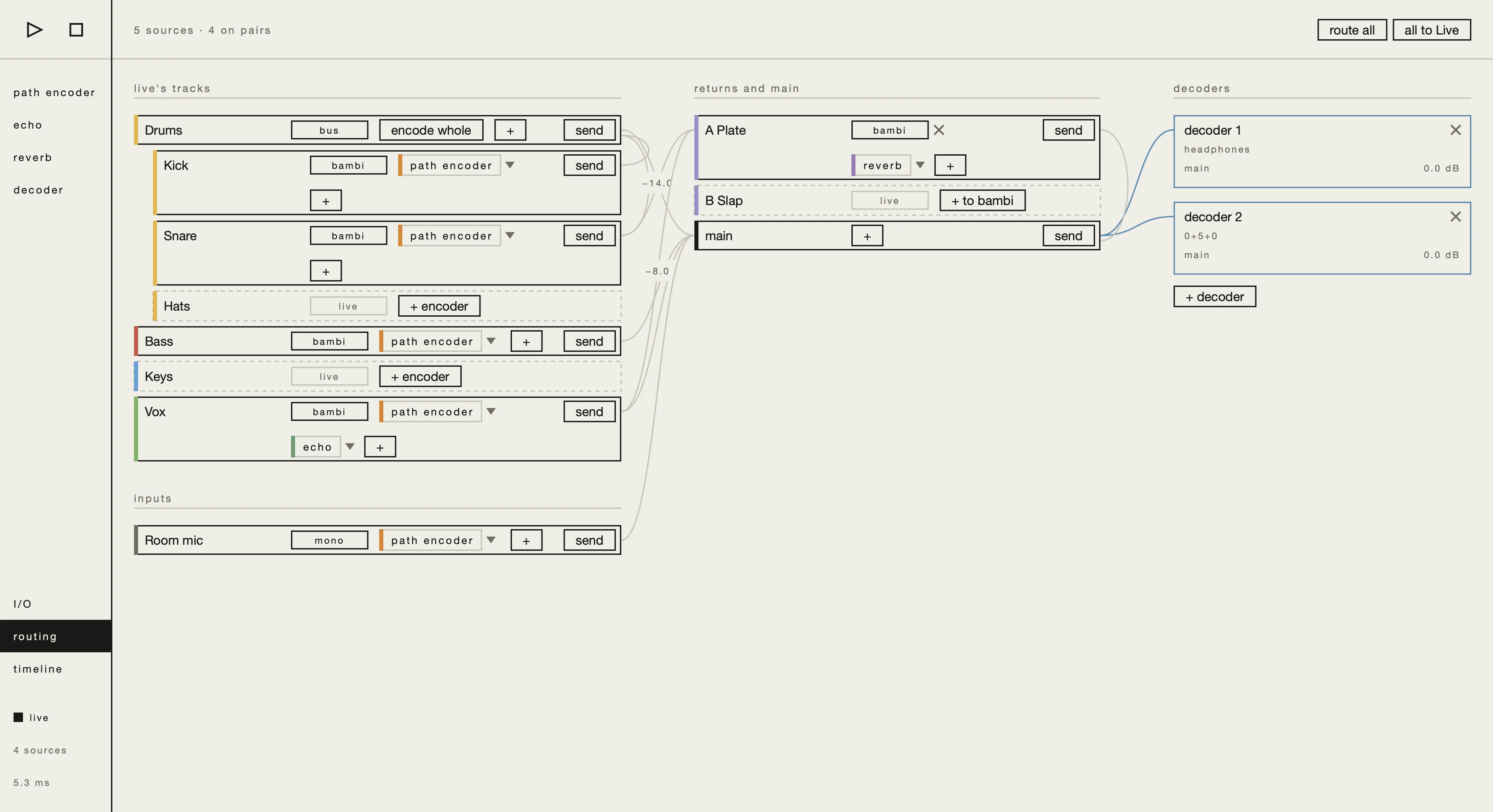
routing · live’s tracks
Live’s tracks and groups
Live’s tracks and groups in one column, the host’s own inputs below. Each track stays in Live, or goes into bambi through an encoder, with insert effects after it.
- + encoder · encodes a track into the ambisonics bus
- + · adds an insert effect after the encoder
routing · returns and main
returns and main
Live’s returns and main, each kept in Live or taken into bambi with its own insert effects, such as a reverb on a return.
routing · sends
sends
Press send, and the destinations a track can reach light up; click one to add a send at 0 dB. Click a track’s name to show its sends below it, and drag one to set its level.
- route all · every track into bambi at once
- all to Live · every track back to Live
routing · decoders
any number of decoders
Each decoder gets its own mix and plays to headphones, loudspeakers, or both.
timeline
arrangement and automation
Live’s transport and arrangement, in sync. Under each track, automation lanes for any plugin parameter in the host, following Live’s song position.
timeline · session
session clips with their own automation
Live’s session view. Choose a clip, and its automation lanes open at the bottom, following the clip as it loops.
I/O
inputs and outputs
The I/O page: the interface, its outputs, inputs and MIDI as tabs. Every output — Live’s main, each decoder’s headphones and loudspeakers — is placed by a click on the interface’s channels, with copies to other channels or back into Live for recording.